
Blog hosting
Run your Hive blog or community as its own site, hosted by Ecency or on your own server.
Ecency blog hosting turns your Hive account into a standalone blog at yourname.blogs.ecency.com (or your own domain). Your posts stay on Hive. The blog is a clean front door to the same content, without the rest of Ecency around it.
Why a hosted blog?
Section titled “Why a hosted blog?”Your Ecency profile at ecency.com/@username sits inside the main Ecency site, next to everyone else’s content. A hosted blog is your own space:
- Only your content. Readers see your posts and nothing else competing for attention.
- Your look. Pick one of 9 styles (Medium, Minimal, Magazine, Developer, Modern, Journal, Reader, Gallery and Terminal), an accent color, one of 5 font sets and a light, dark or system theme. Set your own title and tagline, logo and favicon, and turn search, likes, comments, tipping and a newsletter signup on or off.
- Your address. A memorable
yourname.blogs.ecency.com, or your own domain likeblog.yoursite.com. - Still on Hive. You keep your audience, rewards and portability.
Where it lives
Section titled “Where it lives”When you set up a blog at ecency.com/hosting, you choose where it runs:
- Hosted by Ecency. Ecency runs it for you: your own address, HTTPS, backups and updates. Prepaid for 1, 3, 6 or 12 months, with no automatic renewal.
- Your own server (free). Download the deployment files and run the blog yourself with Docker. There is no fee to Ecency; you supply the server and the domain. See Self-hosted blog for the technical details.
The rest of this page covers the hosted option.
Hosted blogs cost $2 by card or 2 HBD per month. You can pay for 1, 3, 6 or 12 months at a time.
Free with Ecency Pro. Ecency Pro members get a blog at no extra cost. Claim it from the Ecency Pro panel after you upgrade.
Payment options
Section titled “Payment options”- Card, for a familiar checkout. Card is available when you are logged in and paying for your own blog, or for a community site you will own.
- HBD, from any Hive wallet. If you are logged in with Keychain (or a compatible extension), you can pay in one click. Otherwise you send the exact amount with the exact memo shown, then press I’ve sent the payment.
How to set up
Section titled “How to set up”- Go to
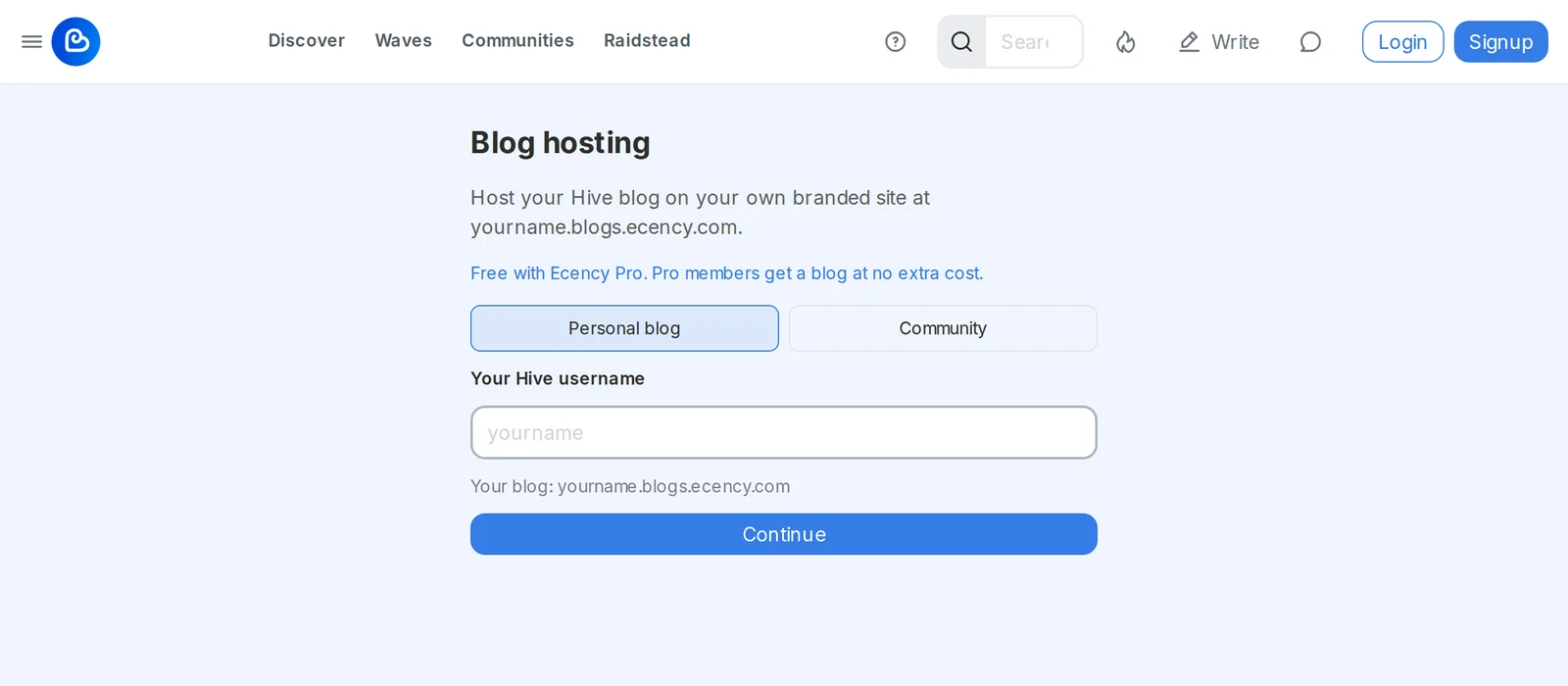
ecency.com/hosting. - Choose Personal blog and enter your Hive username. This becomes
yourname.blogs.ecency.com. - Customize it: pick a style, an accent color and fonts, then add a title and description (both optional). You can change all of this later.
- Choose Hosted by Ecency, pick a term and pay by card or HBD.
- Your blog goes live as soon as the payment is confirmed.
After activation, open your site and sign in with the owner account using Keychain or HiveSigner. The round settings button in the bottom-right corner opens the configuration editor, where you can change the title, theme, layout and post filters.
Your name and saved look are held for a short time while you complete payment. Unpaid reservations are then released.
Custom domain
Section titled “Custom domain”Want your blog on your own domain, like blog.yoursite.com? Add the Custom domain option for +$1 per month by card or +1 HBD per month ($3 or 3 HBD per month in total). It is billed with your hosting. You can also add it later to an active blog from Your hosted sites, paying only for the months left on your term.
To connect the domain:
- In the Add your custom domain step, enter your domain.
- At your DNS provider, add the CNAME record shown.
- If you use Cloudflare or a similar proxy, set the record to DNS only (grey cloud). A proxied record can’t be verified.
- Click Verify. DNS changes can take a few minutes.
- Once verified, your site goes live on your domain with HTTPS within about 10 minutes.
Community hosting
Section titled “Community hosting”You can also host a whole Hive community as its own branded site, showing the community’s posts, subscribers and about page, at hive-NNNNN.blogs.ecency.com or your own domain.
- You own the site, not the community account. The site belongs to the account that creates it. You never need the community’s keys to run or customize it.
- Members post into the community. A logged-in member can publish straight into the community from the site. Normal Hive community moderation still applies.
- Same customization. Choose a style, a title and branding, then add a custom domain just like a personal blog.
To set one up, go to ecency.com/hosting, choose Community and enter the community ID (it looks like hive-125125). You must be logged in, because your account becomes the owner. Pick a term and pay by card or HBD.
Frequently asked
Section titled “Frequently asked”Whose content appears on the blog? Your Hive posts. Whatever you publish on Hive shows up on your blog.
What happens when the term ends? There’s no automatic renewal, so nothing is charged again. Your blog stays online for a grace period. Renew at ecency.com/hosting to keep it. Renew before it expires and the time is added to your current term. After expiry, the new term starts when you pay. Custom-domain changes lock 14 days after expiry until you renew. Ecency may take expired blogs offline.
How do I stop my blog? Just don’t renew. There’s no subscription to cancel.
Can I host it myself instead? Yes. Choose Your own server (free) and download the deployment files. See Self-hosted blog.