
Buy and send Points
Every way to get Ecency Points, from card and HIVE/HBD purchases to in-app purchases, gifts and transfers.
You earn Ecency Points by using Ecency, but you can also buy them, receive them as a gift or get them from another user. This page lists every way to top up your balance and one popular way to spend it: a Resource Credits top-up.
On the web, all purchase options live on the Points page under Perks: open ecency.com/perks/points, or open your wallet, select Points and choose Buy.
Buy with a card (web)
Section titled “Buy with a card (web)”- Open the Points page and find Buy points with card.
- Select Pay with card.
- Pick a package and select Continue.
- Enter your payment details and select Pay.
- Wait for “Payment received. Adding your Points…”. When it says Done!, the Points are in your account.
The Points always go to the account you are logged in with. Card packages:
| Price | Points |
|---|---|
| $4.99 | 2,800 |
| $9.99 | 6,000 |
| $49.99 | 31,500 |
| $99.99 | 70,000 |
If a payment is reversed, no Points are added. If card payment is not available in your region or browser, the card option is hidden.
Buy with HIVE or HBD (web)
Section titled “Buy with HIVE or HBD (web)”If you already hold HIVE or HBD, you can swap it for Points.
- On the Points page, select Buy with HIVE/HBD.
- Choose HIVE or HBD and enter an amount. The form shows an estimate of the Points you will get.
- Select Continue and confirm the transfer with your active key.
- Your Points are credited after the transfer is processed.
Points are priced at $0.002 each, so every $1 of HIVE or HBD buys about 500 Points. The final amount is based on the market value of your HIVE or HBD when the transfer is processed, so it can differ a little from the estimate.
Buy in the mobile app
Section titled “Buy in the mobile app”The Ecency mobile app sells Points through the App Store and Google Play, so you can pay with your store account, card, Apple Pay or Google Pay.
- Open Wallet and tap Get Points.
- Pick a package and confirm the purchase.
Mobile packages give 500, 1,200, 2,800, 6,000, 31,500 or 70,000 Points. The store shows the price in your local currency.
Buy with a QR code
Section titled “Buy with a QR code”On a computer, you can start a purchase on the web and finish it on your phone.
- On the Points page, select Buy with QR code.
- Choose the account and the amount, then scan the code with your phone camera.
- The Ecency app opens. Complete the purchase there.
Gift Points by card
Section titled “Gift Points by card”You can buy Points for anyone on Hive, even someone who has never used Ecency.
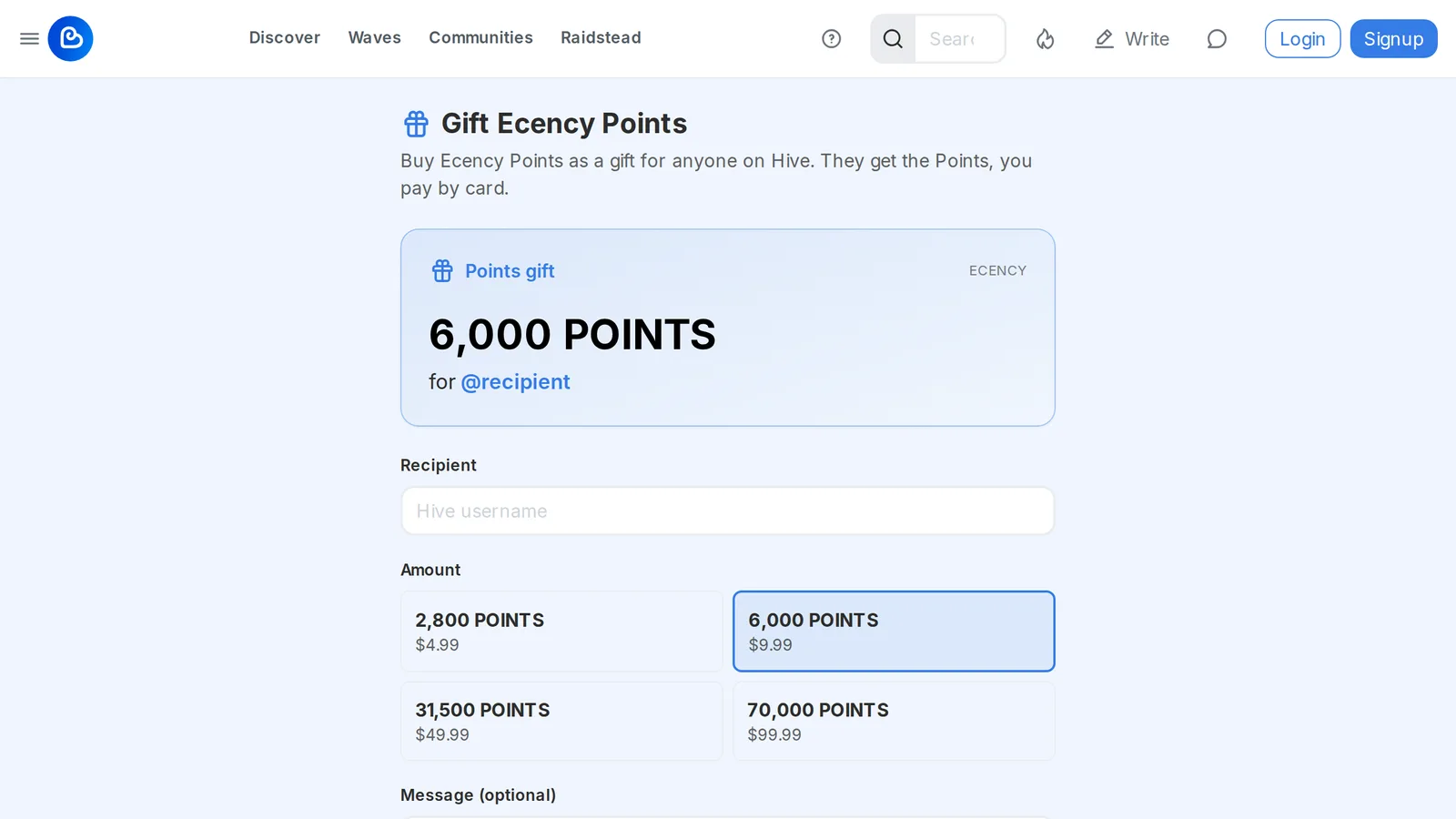
- Open ecency.com/gift.
- Enter the recipient’s Hive username.
- Pick an amount (the same packages as card purchases) and add an optional message.
- Select the pay button (it shows the price, for example Pay $9.99 and send). When it is done, you see “Points were sent to” the recipient.
Send Points to another user
Section titled “Send Points to another user”You can also give Points you already own.
- Web: open your wallet, select Points, then Gift. Enter the username and amount, then confirm.
- Mobile: open Wallet, tap Points and use its transfer action.
A Points transfer is recorded on the Hive blockchain, so it is signed with your active key.
Top up Resource Credits with Points
Section titled “Top up Resource Credits with Points”If you run low on Resource Credits, you can spend Points for a short-term RC boost and keep posting.
- Web: when you are low on RC, the editor and comment box show a banner. Select Top up RC, choose a duration and confirm. The current price for each duration is shown in the dialog.
- Mobile: open Perks, go to Use your points and tap Top up RC.
You can only have one active top-up at a time. If you don’t have enough Points, the dialog links to Buy Points.