
Search
How to search posts, people, communities and tags on Ecency, with filters, sort options and search syntax.
Ecency search looks through posts and comments across the whole Hive blockchain, not only Ecency. It is powered by Hivesearcher, the Hive search engine built by the Ecency team.
The search box
Section titled “The search box”On the web, the search box sits in the top navigation bar. As you type, it suggests matching accounts, tags and communities, along with quick actions such as transfers or opening your drafts. Press Enter to open the full search page.
You can use a prefix to narrow the suggestions:
@namesuggests accounts.#tagsuggests tags.$namesuggests communities.
The search page
Section titled “The search page”The search page at ecency.com/search shows:
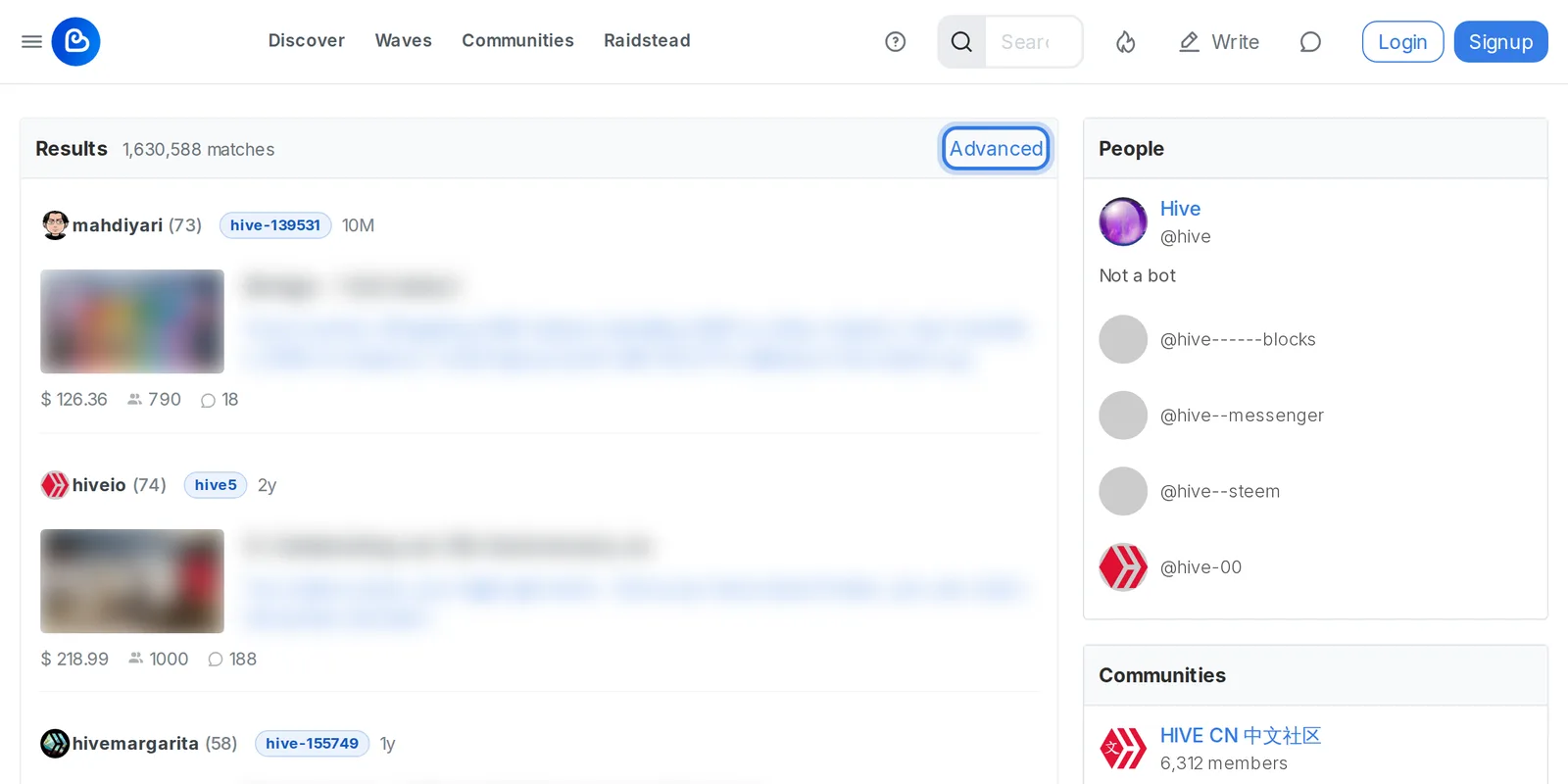
- Results: matching posts and comments, with the number of matches.
- People, Communities and Topics panels alongside the results, with accounts, communities and tags that match your search term.
In the mobile app, search results are split into tabs: Best (posts), People and Groups (communities).
Filters
Section titled “Filters”Click Advanced on the web search page to refine your search. In the mobile app, tap Filters. You can set:
- Author: only content by this account.
- Type: All, Post or Comment.
- Category: a community (such as
hive-123456) or main category. - Tags: up to 5 tags, separated by commas.
- Date: Last Week, Last Month, Last Year or All.
- Sort: Relevance (default), Popularity or Recent.
On the web there are two more options:
- Hide low payout content: on by default. It hides posts that earned very little, which filters out a lot of spam.
- Show NSFW content: off by default. Turn it on to include posts tagged NSFW.
Click Apply to run the search with your filters.
Sort options
Section titled “Sort options”- Relevance ranks results by how well they match your words, with a light boost for well-rewarded posts.
- Popularity favors recent, well-rewarded posts that match your search.
- Recent (called Newest on mobile) shows the newest matches first.
Search syntax
Section titled “Search syntax”You can type filters straight into the search box instead of using the Advanced form. Put each one at the start of the search or after a space:
| Syntax | Example | Finds |
|---|---|---|
author: |
author:ecency |
Content by one account |
type: |
type:post or type:comment |
Only posts or only comments |
category: |
category:hive-125125 |
Content in one community or category |
tag: |
tag:photography |
Content with this tag. Repeat it, or separate tags with commas, for more than one |
For example, sunset tag:photography author:ecency finds Ecency’s posts tagged photography that mention “sunset”.
For the words you search for:
- All words must match by default.
- Put a phrase in double quotes to match it exactly, for example
"proof of brain". - Put a minus sign in front of a word to exclude it, for example
travel -crypto. - Use
ORbetween words to match either one, for examplecats OR dogs.
A search can be up to 100 characters long. You need either a search term or at least one author, category or tag filter.