
Vote on proposals
How to browse, read and vote on Decentralized Hive Fund (DHF) proposals on Ecency, plus how the return proposal decides what gets funded.
The Decentralized Hive Fund (DHF) is an on-chain treasury. Anyone can submit a proposal asking for funding. Hive Power holders vote on which proposals get paid. Your vote weight is your Hive Power, so even a small account helps. For the bigger picture, see Governance.
Open the proposals page
Section titled “Open the proposals page”On the web, open the main menu and choose Proposals, or go to ecency.com/proposals.
The top of the page shows three numbers:
- Total budget: the HBD currently held by the fund.
- Daily budget: what the fund can pay out per day. Ecency calculates it as 1% of the total budget.
- Daily funded: how much of that daily budget is going to proposals that are above the threshold right now.
Browse and search
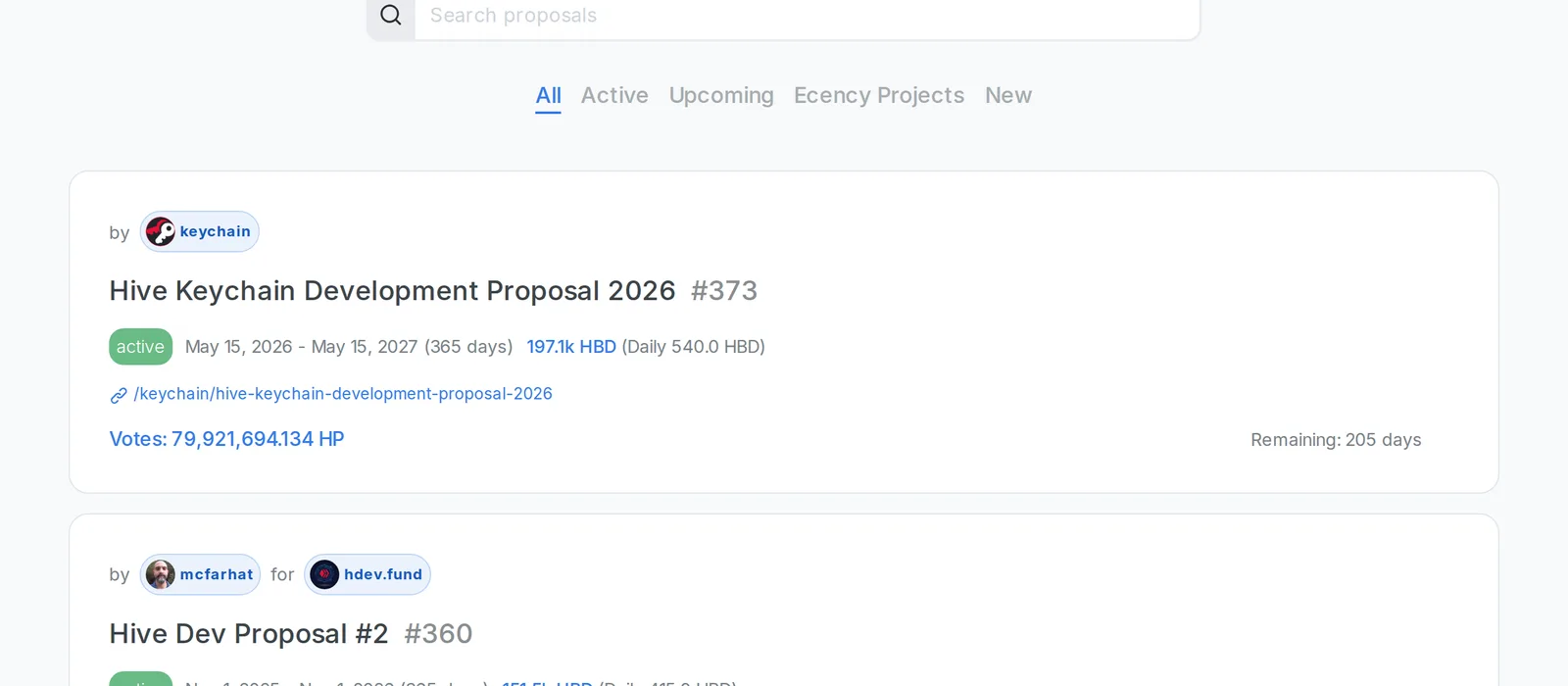
Section titled “Browse and search”Use the filter tabs to narrow the list:
- All: every proposal.
- Active: proposals that are currently running.
- Upcoming: proposals whose start date is in the future.
- Ecency Projects: active and upcoming proposals from the Ecency team.
You can also type in the Search box to match a proposal’s title or creator.
Each proposal shows its creator, the receiving account, its status (active, upcoming or expired), the duration, the daily pay in HBD, the total votes and the days remaining.
Read a proposal
Section titled “Read a proposal”Every proposal links to a Hive post that explains the work. Click the proposal title to open its own page with the full post, or click the post link under the title.
To see who supports a proposal, click Votes. The dialog lists each voter with their own Hive Power and any Hive Power proxied to them. You can sort by Hive Power or Reputation.
Vote or remove your vote
Section titled “Vote or remove your vote”- Log in. If you aren’t logged in, the vote button asks you to sign in first.
- Click the up arrow button next to the proposal. A filled button means you already support it.
- Sign the transaction. Proposal votes need your active authority, so approve it in your signer (for example Hive Keychain, HiveAuth or HiveSigner) or with your active key.
- To remove your vote, click the filled button again and sign.
You can support as many proposals as you like. Each vote counts with your full Hive Power. Votes don’t cost HBD, but like any transaction they use a little Resource Credits.
Your vote keeps counting until you remove it or the proposal ends. Votes stay active, so you don’t need to vote again. They expire only if your account makes no governance action (a witness vote, a proposal vote or a proxy change) for one year. Any new governance vote resets that timer for all your votes.
The return proposal and the threshold
Section titled “The return proposal and the threshold”Proposals are ranked by total votes. The fund pays proposals from the top down until the daily budget runs out.
There is also a special return proposal (proposal #0, titled “Return Proposal”). It sends its funding back to the fund instead of to a person. Ecency labels it with “This is the base return proposal. Every proposal with less votes will not receive funds.”
In plain words: a proposal only gets paid if it has more votes than the return proposal. Voting for the return proposal raises that bar, which is how the community says “fund less”. Voting for a proposal helps it climb above the bar.
When the daily budget runs out before the return proposal is reached, Ecency marks the last proposal that fits with “This is a threshold proposal.”
Governance proxy
Section titled “Governance proxy”If you set a governance proxy on the witness voting page, your proxy votes for you and your Hive Power counts toward their choices. To vote on proposals yourself, clear the proxy there first.
On mobile
Section titled “On mobile”The mobile app doesn’t have a proposals list. It may show a banner asking you to support Ecency’s own proposal, with a Cast My Vote button. To browse and vote on any other proposal, use ecency.com/proposals in your browser.
Create a proposal
Section titled “Create a proposal”Logged-in users can open New on the proposals page to submit their own. Ecency notes that creating a proposal costs 10 HBD plus 1 HBD for each day over 60. You should also publish a Hive post describing the work first.